Focus Outlines on Image Links
Focus indicators usually work fine when focusing on standard text links, but can sometimes look weird when focusing on links with images. By default, they select the area where the text would show up, not the area of the image. For smaller graphics, this can cause the outline to cover up important parts of the image. For larger ones, it might not be obvious what element is being focused on since the indicator is so small.
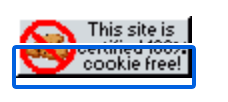


Various focused links with small images. First is the default behavior without styling, second uses slightly better styling, and third uses optimal styling.
Basic Version
*:focus-visible, a:focus-visible img {
    outline: auto;
}

a:has(img):focus-visible {
    outline: 0;
}
This snippet removes the outline from the link only if it has an image as a child element and then applies the outline to the image instead. outline: auto; will apply the browsers default outline style to the element. If you don't want to bother styling focus outlines, just use auto.
Advanced Version
This is a slightly modified version of the CSS I use for my website:
*:focus-visible, a:focus-visible img {
	outline: currentColor solid 0.2rem;
	border-radius: 5px;
	outline-offset: .2rem;
	z-index: 100;
	position: relative;
}

a:has(img):focus-visible {
	outline: 0;
}
This one's a little more complicated, so let's break it down:
outlinestyling is mostly taken from medienbaecker's beautiful focus outlines. You can customize them similarly to how you would a border by defining the color, width, and border style.border-radiusis just for aesthetic purposes.outline-offsetdefines how far the outline is from the element it's focusing on. Setting it helps makes sure the outline doesn't cover up the element or hug it too tightly.z-indexandpositioninsure that elements are placed in front of all other elements when focused on. If you're playing around with otherpositionvalues, make sure you have that defined after the focus styling, so thatposition: relative;is overwritten.
Support for Older Browsers
The :has() selector is considered a "newly baseline" CSS feature. This means that some older browsers may not be able to use it. I'm personally not to worried about this because over 90% of browsers already support it, but if you really want to optimize your code for older browsers you can use @supports to detect wither or not their browser supports it.
*:focus-visible {
	/* outline styling */
}

@supports selector(a:has(img)) {
	a:focus-visible img {
	    /* outline styling */
	}
	a:has(img):focus-visible {
	    outline: 0;
  }
}
This way, if someones browser can't outline the whole image, it'll use it's default behavior as a fallback. It's not optimal, but a bad focus indicator is probably still better than no focus indicator.